FAQ – How to proceed
From graphic designthrough 3D to finished packaging.
The complete process in five steps.
Not sure which material to choose?
We are happy to advise you. Browse the available materials or get in touch.
FAQ for designers
Create your design, see it on a real 3D pack and share it with your client in one click. Once approved, go straight on to ordering the packaging.
Set the pack parameters
Choose the pack type, set the size, material, add-ons and design name. You can rename it later.
Download the dieline and upload your design
Download the dieline (AI/PDF), prepare the artwork in your own software and upload the finished print data (PDF).
Check it in 3D
You will see your design on a realistic 3D pack straight away. Rotate it, zoom in and check the details from every side.
Approve and share
Share the preview with your client or a colleague through a single link and get a quick approval.
Order
Once approved, you can go straight on to ordering the real packaging.

FAQ for companies and brands
From the first idea all the way to production. Vizulio brings choosing the pack, checking it in 3D, approving it and ordering it into one clear process.
Set the pack parameters
Choose the pack type, set the size, material, add-ons and design name. You can rename it later.
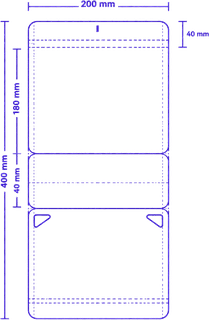
Download the dieline and get a design
Download the dieline and send it to your designer, or upload finished print data if you already have it.
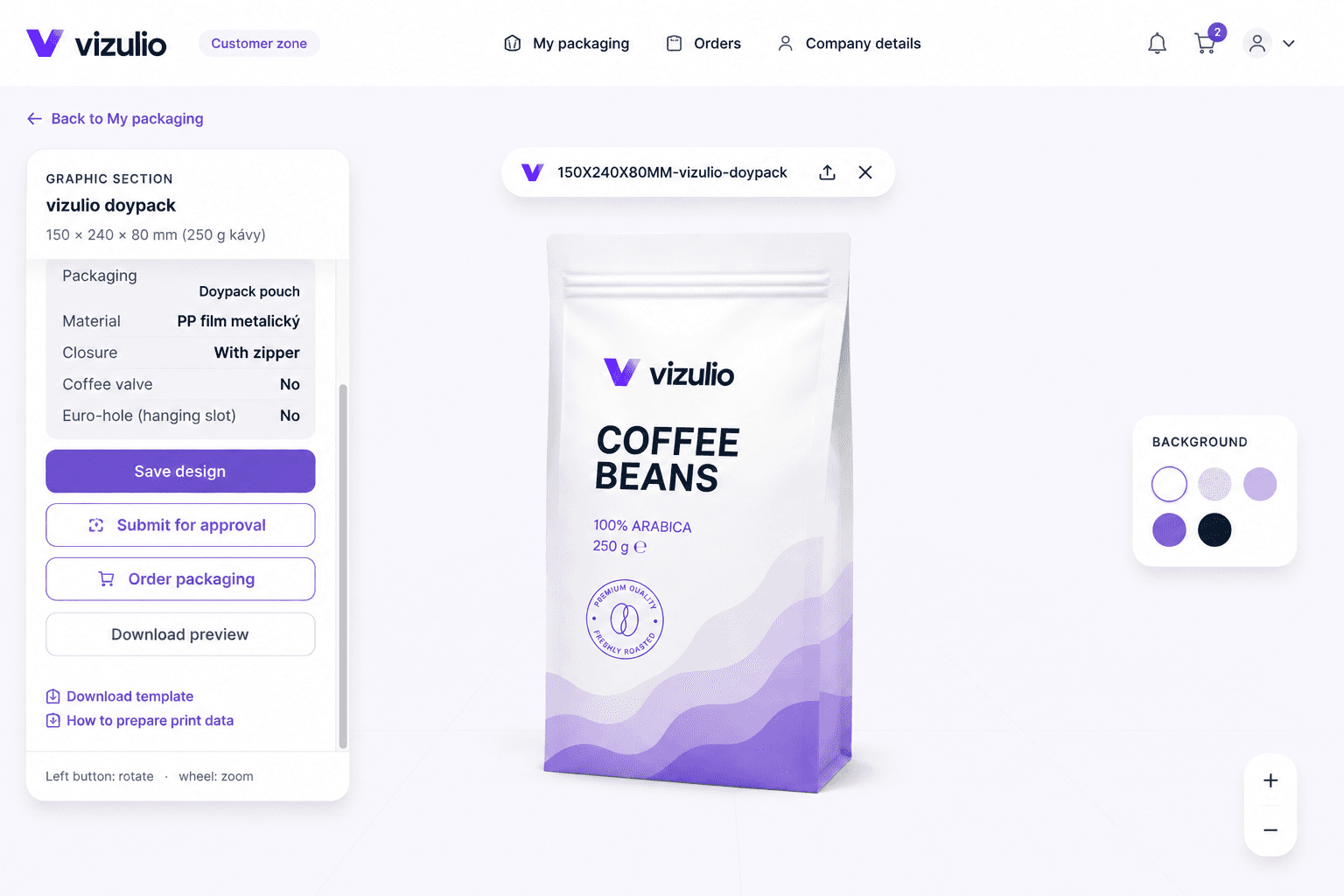
Check it in 3D
See how the pack will look with your design in 3D, before it goes into production.
Approve and share
Share the design with colleagues, marketing, management or your designer and get a quick approval.
Order
After the final approval, order the packaging directly in Vizulio. What you see in 3D is what you get.
Frequently asked by designers
Do I need a finished design right at the start?
What format should I upload the print data in?
Can the client view the pack without Vizulio?
What if the client asks for changes?
Who can order the packaging?
Frequently asked by companies
Do we need a finished design right at the start?
Can we compare several packs or designs?
Where can people see the shared preview?
How is our data kept safe?
How do we order the packaging?
Ready to create your packaging?
Try Vizulio for free and see your first package in 3D in just a few minutes.